
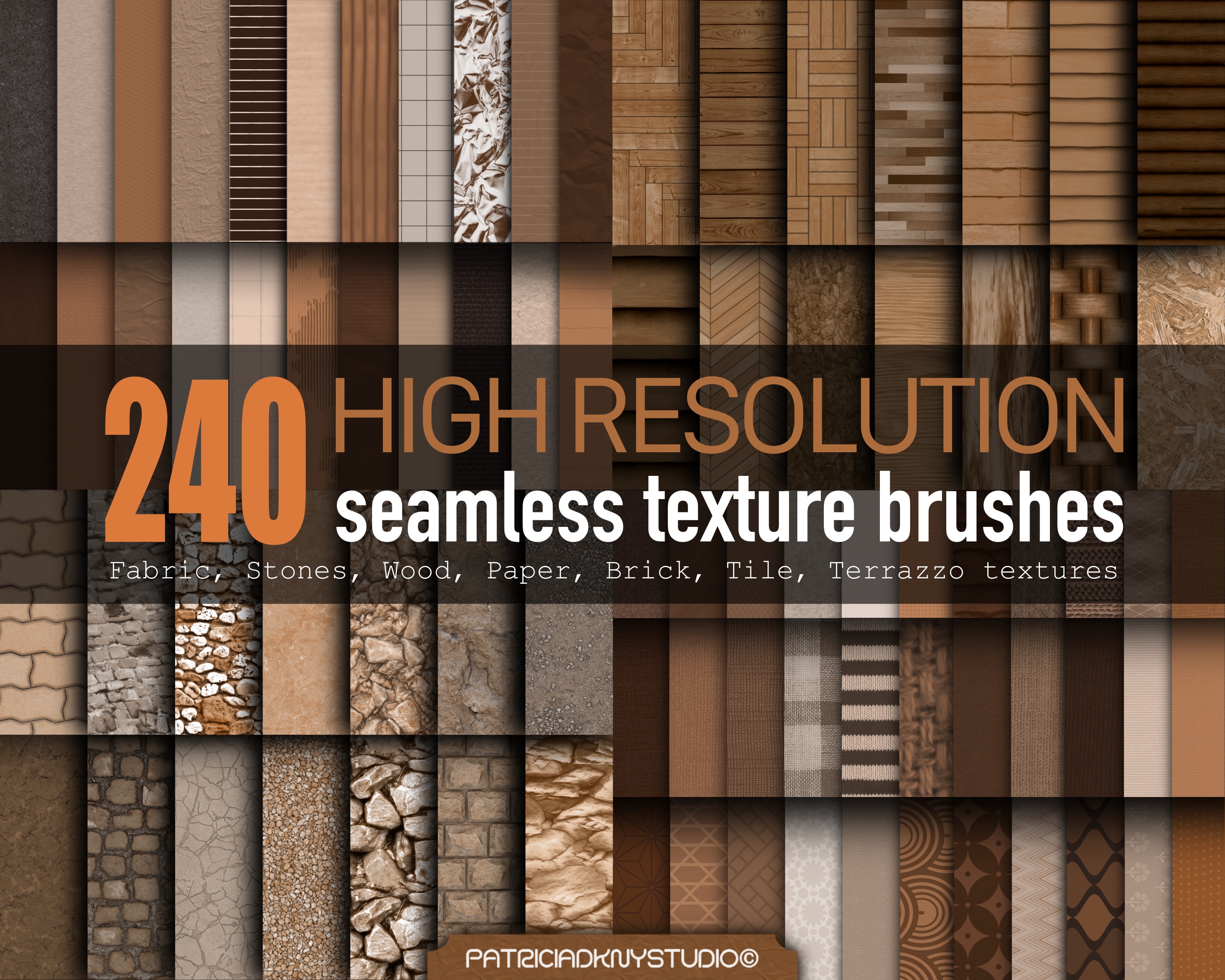
Procreate seamless texture brush bundle
€18.00€16.00
Transform your digital artwork, illustrations, concept art, architectural renders, interior design projects, and graphic designs with this premium collection of 240 High Resolution Seamless Texture Brushes. Designed for artists, designers, and creatives, these realistic textures make it easy to add depth, detail, and professional-quality finishes to any project.
This versatile texture pack includes a wide variety of seamless patterns featuring wood, stone, brick, paper, fabric, terrazzo, tile, concrete, leather, plaster, and natural surfaces. Each brush is created in high resolution for crisp, detailed results that seamlessly repeat without visible edges.
Perfect for creating realistic environments, textured backgrounds, architectural visualizations, digital painting, game assets, concept art, product mockups, scrapbook designs, printable artwork, and more.
What's Included:
✔ 240 High Resolution Seamless Texture Brushes
Texture Categories Include:
Wood Textures
Stone Textures
Brick Textures
Fabric Textures
Paper Textures
Tile Textures
Terrazzo Textures
Concrete Textures
Leather Textures
Plaster & Wall Textures
Natural Surface Textures
Decorative Patterns
Features:
High Resolution Quality
Seamless Repeatable Textures
Professional Digital Brushes
Instant Digital Download
Easy to Use
Perfect for Beginners & Professionals
Realistic Surface Details
Commercial & Personal Projects
Perfect For:
Digital Artists
Graphic Designers
Interior Designers
Architects
Illustrators
Concept Artists
Surface Designers
3D Artists
Game Developers
Pattern Designers
Digital Scrapbooking
Printable Design Projects
Great For Creating:
Realistic Backgrounds
Texture Overlays
Architectural Renderings
Environment Design
Product Mockups
Poster Designs
Branding Projects
Social Media Graphics
Digital Journals
Printable Artwork
UI & Game Assets
1. How do I install Procreate brushes?
After downloading your brush file (.brush or .brushset), follow these steps:
Open the Files app on your iPad.
Locate the downloaded brush file.
Unzip/decompress the file if needed.
Tap the file, and it will automatically open in Procreate.
The brush will be added to your Brush Library under "Imported."
2. How to Download Files from a Dropbox Link (No Account Needed)
Click the link (or copy and paste it into your browser)
You’ll see a preview of the folder. Ignore any sign-in prompts—you don’t need a Dropbox account.
In the top right corner of the page (on desktop), look for the "Download" button (it might be three dots or say “Download”).
Click "Download" → then "Download as ZIP" (or it may just download automatically).
Your browser will download the folder as a .zip file, which you can open and extract on your computer.
On Mobile?
If you're using a phone or tablet and don't see the "Download" button:
Tap the three dots (...) or the “…” menu, then tap "Direct download" or "Download folder".
License
You're welcome to use these brushes to create and sell your own original artwork, both for personal and commercial use. However, you may not resell, share, or redistribute the brush files themselves, even if altered.
Additionally, selling the stamp designs as they are—in digital or physical formats (like clipart, sticker sheets, or coloring pages)—is not allowed.
Please use them to create something new and unique. Claiming the brushes or original designs as your own is strictly prohibited.
Because this is a digital product, all sales are final and non-refundable. Once the files are downloaded, we cannot offer returns, exchanges, or cancellations.
Please make sure you have the right software (such as Procreate) before purchasing. If you have any issues with your download or files, feel free to reach out—we're happy to help!