
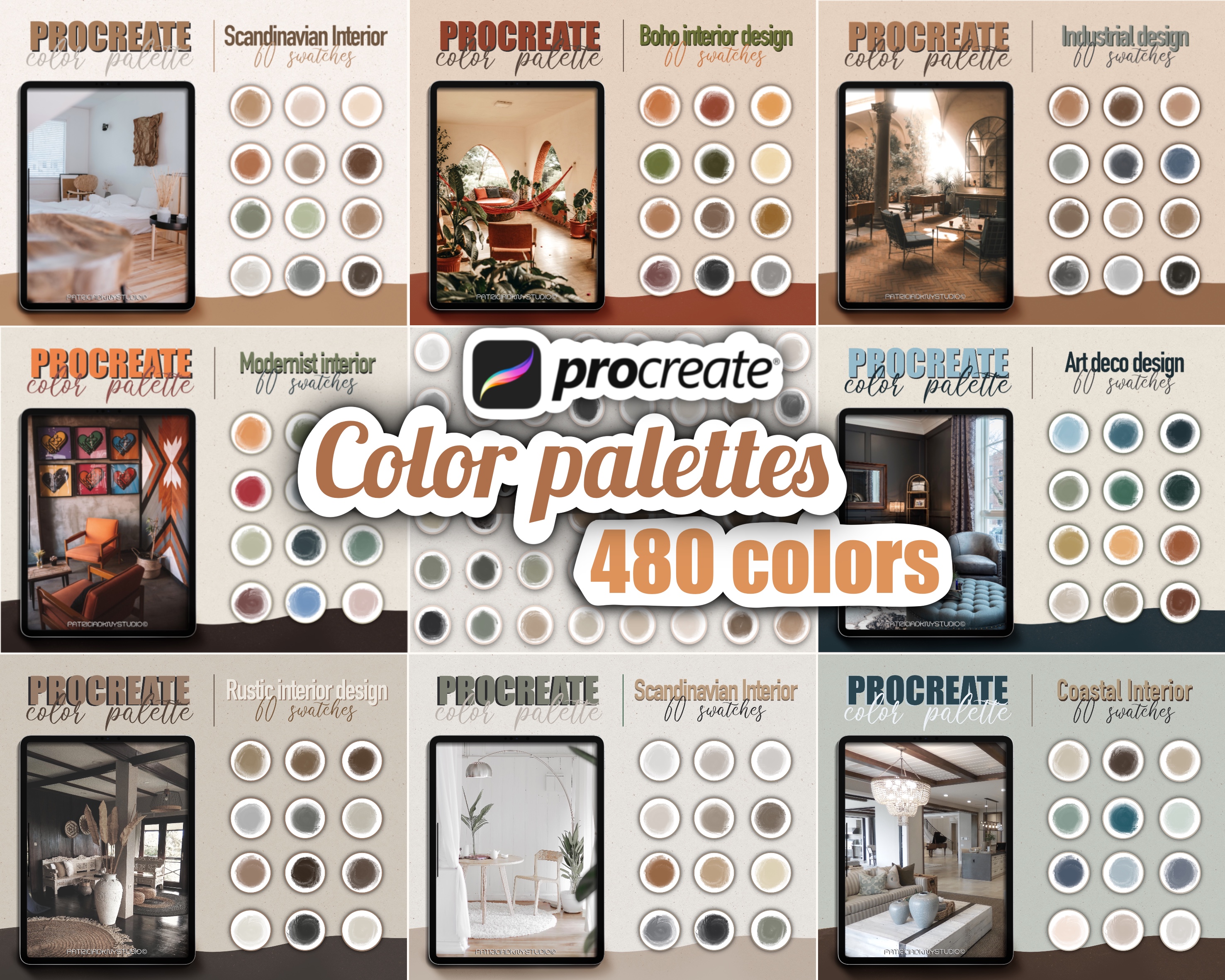
Procreate Interior Design Color Palette
€2.00
Procreate Color Palettes for Interior Design & Architecture
Japandi, Modern, Scandinavian, Coastal, Farmhouse & More
Take your design sketches and presentations to the next level with this curated collection of Procreate color palettes tailored for architectural and interior design styles. Whether you're working on mood boards, concept art, room layouts, or architectural illustrations, these swatches offer harmonious, style-specific color schemes that bring your ideas to life.
This bundle includes palettes inspired by today’s most popular aesthetics, including:
Japandi – minimalist neutrals with natural warmth
Modern & Scandinavian – soft greys, whites, and muted earth tones
Coastal – breezy blues, sandy creams, and driftwood browns
Bauhaus – bold primaries, functional contrasts
Farmhouse & Rustic – warm woods, soft greens, natural textures
Industrial – steel greys, concrete, charcoal, brick tones
Art Deco – luxurious golds, rich blacks, deep emeralds
Mid-Century Modern – retro tones, mustard, teal, walnut hues
What You’ll Get:
16 .swatches file with 60+ coordinated colors
Perfect For:
Interior design concepts & room mockups
Architectural renderings & floorplans
Mood boards and design presentations
Furniture, product, and spatial design sketches
NOTE! You will need a Procreate app and an iPad to use these Stamp Brushes, they will not work in Photoshop or any other application.
Please also note that this is a digital product, no physical item will be shipped.
How to Install Procreate Color Palettes?
Installing your new Procreate color palette is quick and easy! Follow these steps:
Step-by-Step Instructions:
Download the Palette File
After purchase, download the .swatches file to your iPad (usually from a link via email or your account's download page).
Open Files App on iPad
Navigate to the folder where the .swatches file is saved (like “Downloads” or “iCloud Drive”).
Tap the .swatches File
Simply tap the file, and Procreate will automatically open and import the color palette.
Open Procreate
Go to your canvas or start a new one.
Access the New Palette
Tap the color circle in the top-right corner.
Switch to the “Palettes” tab, and you’ll see your new palette at the top!
You're welcome to use these swatches to create and sell your own original artwork, both for personal and commercial use. However, you may not resell, share, or redistribute the swatches files themselves, even if altered.
Please use them to create something new and unique. Claiming the swatches or original designs as your own is strictly prohibited.
Because this is a digital product, all sales are final and non-refundable. Once the files are downloaded, we cannot offer returns, exchanges, or cancellations.
Please make sure you have the right software (such as Procreate) before purchasing. If you have any issues with your download or files, feel free to reach out—we're happy to help!